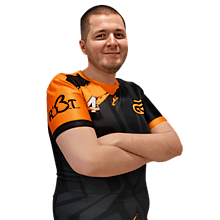
SALO_MUX
Player settings
ZIP ·
- DPI
- 800
- Sensitivity
- 1.75
- eDPI
- 1400
- Resolution
- 1280x960
Mouse
In CS2, open Settings → Keyboard / Mouse. Set DPI and polling rate in your mouse software and adjust Windows sensitivity in the OS. eDPI is DPI × in-game sensitivity.
- DPI
- 800
- Sensitivity
- 1.75
- eDPI
- 1400.00
- Zoom sensitivity
- 1
- Polling rate (Hz)
- 1000
- Windows sensitivity
- 6
Crosshair
Open the Crosshair / Scopes tab in CS2 to change these settings manually.
- Style
- Static cross
- Center dot
- No
- Length (px)
- 2
- Thickness (px)
- 1
- Gap (px)
- 1
- Outline
- No
- T style
- No
More crosshair settings
- Follow recoil
- No
- Red
- 0
- Green
- 255
- Blue
- 255
- Opacity
- 255
- Outline red
- 0
- Outline green
- 0
- Outline blue
- 0
- Outline opacity
- 255
- Split Distance
- 7
- Inner Split Alpha
- 0.1
- Outer Split Alpha
- 1
- Split Size Ratio
- 1
- Sniper crosshair thickness
- 1
- Spread Limit
- 227
- Screen Height
- 960
- Use crosshair color for the scope dot
- No
- Scope dot scale
- 1
Under Crosshair / Scopes, open Share or Import and paste the code.
CST3SkaOmELQYRTzFJqNL4dYFeKkiO6fpou43R9GJxmyfGUnder Game, turn on Enable Developer Console. Open the console with its assigned key and paste the commands.
cl_crosshairstyle 4; cl_crosshair_length 2; cl_crosshair_thickness 1; cl_crosshair_gap 1; cl_crosshaircolor_r 0; cl_crosshaircolor_g 255; cl_crosshaircolor_b 255; cl_crosshaircolor_a 255; cl_crosshairoutline_r 0; cl_crosshairoutline_g 0; cl_crosshairoutline_b 0; cl_crosshairoutline_a 255; cl_crosshair_dynamic_splitdist 7; cl_crosshair_dynamic_splitalpha_innermod 0.1; cl_crosshair_dynamic_splitalpha_outermod 1; cl_crosshair_dynamic_maxdist_splitratio 1; cl_crosshair_sniper_width 1; cl_crosshair_dynamic_spread_limit 227; cl_ironsight_dot_scale 1; cl_crosshair_screen_height 960; cl_crosshair_drawoutline 0; cl_crosshair_recoil 0; cl_crosshairdot 0; cl_crosshair_t 0; cl_ironsight_usecrosshaircolor 0 Viewmodel
Look for Viewmodel Position under Game. Use the console for exact FOV and offsets.
- FOV
- 68
- Offset X
- 2.5
- Offset Y
- 0
- Offset Z
- -1.5
Under Game, turn on Enable Developer Console. Open the console with its assigned key and paste the commands.
viewmodel_fov 68; viewmodel_offset_x 2.5; viewmodel_offset_y 0; viewmodel_offset_z -1.5 Launch options
Open Counter-Strike 2 properties in your Steam Library. Launch Options are under General.
No launch options set
Video
In CS2, open Settings → Video → Video.
- Resolution
- 1280x960
- Aspect ratio
- 4:3
- Scaling mode
- Stretched
- Brightness
- 93%
- Display mode
- Fullscreen
Advanced video
Open Settings → Video → Advanced Video. You can also set the FPS limit with fps_max.
- Maximum in-game FPS
- Unknown
Display and latency
- Boost player contrast
- Unknown
- V-Sync
- Unknown
- NVIDIA Reflex low latency
- Unknown
- NVIDIA G-Sync
- Unknown
Image quality
- Multisampling anti-aliasing
- Unknown
- Global shadow quality
- Unknown
- Dynamic shadows
- Unknown
- Model and texture detail
- Unknown
- Texture filtering
- Unknown
- Shader detail
- Unknown
- Particle detail
- Unknown
- Ambient occlusion
- Unknown
- HDR
- Unknown
- FidelityFX Super Resolution
- Unknown
HUD
In CS2, open Settings → Game → HUD.
- HUD scale
- Unknown
- HUD color
- Unknown
Radar
In CS2, open Settings → Game → Radar.
- Radar size
- Unknown
- Radar map zoom
- Unknown
- Center radar on player
- Unknown
- Rotate radar
- Unknown
- Change shape with scoreboard
- Unknown